
For online marketplaces and commerce platforms
Thousands of sellers. One way to read their passports.
Marketplaces will have to let sellers show the digital product passport with each listing. xProduct passports answer at a GS1 Digital Link address and through an API that follows EN 18222, so your platform can find, read and check them by product identifier.
Guidance, not legal advice. EU rules as of November 2026.
GET https://www.digipasseu.com/01/09506000134352
Accept: application/json

→ 302 /api/dpp/<id>

GET https://www.digipasseu.com/api/v1/dpps/<passport id>
GET https://www.digipasseu.com/api/v1/dppsByProductId/<GTIN>
POST https://www.digipasseu.com/api/v1/dppsByProductIds
The same barcode address gives people the passport page and machines the passport data. The GTIN is an example.
01/What the rules ask
Listings need the passport and the responsible company
Under the Ecodesign Regulation, online marketplaces must let sellers show the passport, or the code that opens it, with each listing of a product that needs one. Under the General Product Safety Regulation, listings already show the responsible company and how to identify the product. Dates come product group by product group.
- 01
A place for the passport
A field in the listing for the passport address, shown to buyers.
- 02
Product identification
The GTIN or other identifier that links the listing to the right passport.
- 03
Responsible company
The manufacturer and, for imported goods, the importer, as named in the passport.
- 04
Working with authorities
Removing listings that authorities flag, and helping them reach the seller.
02/Reading passports
Find and read passports by product identifier
The passport API follows the operations of EN 18222. Public passports need no key; professional and authority versions need a partner token or a signed inspector link from the manufacturer.
Read a passport
GET /api/v1/dpps/{id}
The whole passport as JSON, or one data element by its path.
By product identifier
GET /api/v1/dppsByProductId/{id}
The passport of a GTIN, or of one serial-numbered item.
Many at once
POST /api/v1/dppsByProductIds
The passport ids of up to 100 product identifiers in one call.
As it was on a date
GET /api/v1/dppsByIdAndDate/{id}?date=
The passport as it read at a given time.
From the barcode
GET /01/{gtin}
GS1 Digital Link: the page for people, JSON for machines that ask for it.
03/Bulk
All passports of one seller in one list
For onboarding a seller's catalogue: every published passport of a company, found by its GLN or account number, with the product identifier and passport address of each. JSON by default, CSV for a spreadsheet, up to 5,000 rows.
GET https://www.digipasseu.com/api/v1/passports/feed?gln=<seller GLN>
GET https://www.digipasseu.com/api/v1/passports/feed?gln=<seller GLN>&format=csv
04/Trust
Check that a passport has not been changed
Each published passport can be downloaded as a signed file. Your platform, or anyone, can check the seal against the published key, so a changed copy shows. The passport keeps its earlier versions, so you can also read what it said on the day a product was listed.
- 01
Signed passport
A tamper-evident seal on each published passport, as a .jws file.
- 02
Seal checker
A public page and a developer guide for checking a seal yourself.
- 03
Versions by date
The passport as it read at a given time, for disputes and audits.
- 04
Kept available
A copy of every public passport is refreshed each night on a separate host.
05/Your sellers
Sellers without passports can start here
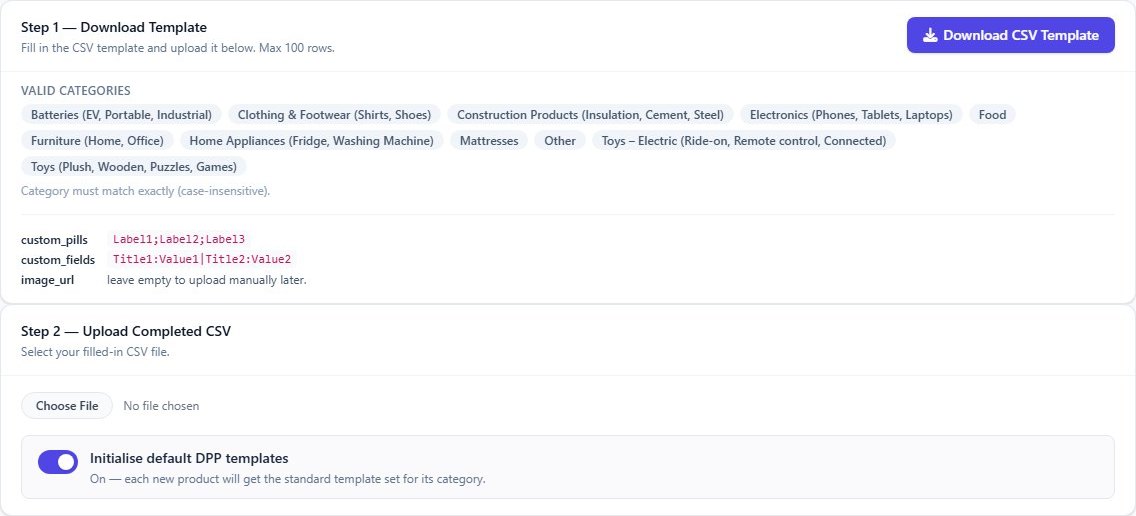
Point sellers who still need passports to xProduct. They can import products from a spreadsheet, pick the sections their product group needs and publish passports with QR codes. Shopify sellers can use the DigiPass apps.
Do we need an API key?
Not for public passports. Restricted parts need a partner token or an inspector link that the manufacturer gives.
Does this work for passports outside xProduct?
The API and the feed cover passports published in xProduct. A passport address from any provider can still be shown in a listing.
Is the EU passport registry part of this?
The EU registry stores the identifiers of passports, not their content. xProduct can export the registry file for a manufacturer; the content stays at the passport address.
Are there usage limits?
Yes, the public API has rate limits to keep it fast for everyone. For high volumes, talk to us.
Passports your platform can read and check.
Tell us about your platform and we will walk you through the API, the feed and the seal.